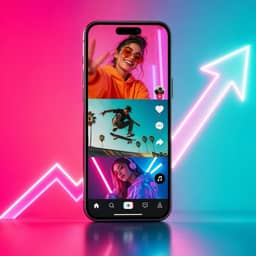
YouTube Shorts ads are vertical video (or image) ads that appear between organic Shorts in the Shorts feed, and viewers can skip them instantly by swiping. You don't buy them as a separate product. They run through Google Ads campaign types that include Shorts inventory: Demand Gen, video view, video reach, Performance Max, App campaigns and YouTube reservations. For most direct-response advertisers, Demand Gen is the place to start.
This guide is the overview. It covers what Shorts ads are, where they run, how to set one up, the creative rules that change on Shorts, how to measure results, and the mistakes that waste budget. For detail on any one piece, follow the links to the dedicated guides on Shorts ad specs, Shorts vs Reels hooks, and what transfers between Shorts and Reels.
What YouTube Shorts ads are
Google describes Shorts as "a mobile-optimized experience on YouTube that centers around short, vertical, full-screen videos," with ads that "appear between organic Shorts videos and are immediately skippable by swiping up or down" (Google Ads Help). A few behaviours set them apart from other YouTube ads:
- There is no skip timer. The swipe is the skip, so the viewer never has to sit through a five-second window.
- The ad comes back. If a viewer scrolls back, the same ad is reshown, and Google says no new impression is counted when that happens (Google Ads Help).
- It looks like a Short. The right-hand panel carries like, dislike, comment and share buttons, and likes and comments count on your original Short, so paid and organic engagement sit on the same video.
- The CTA arrives late. The call-to-action button appears 3 seconds into the ad for Demand Gen, Performance Max and App campaigns, and 10 seconds in for video view and video reach campaigns (Google Ads Help).
Shorts ads also show up beyond the Shorts tab: in Shorts shelves on the Home and Search feeds, channel feeds, the gaming, shopping and subscriptions feeds, and on tablets, desktop browsers and connected TVs (Google Ads Help). The scale is large: Google's Demand Gen overview cites "more than 50 billion global daily views on Shorts alone" (Google Ads Help).
Where Shorts ads run: the campaign types
Shorts is inventory, not a campaign type. Pick the campaign by goal, then check how much control and reporting it gives you on Shorts.
- Campaign type — Best for — Control over Shorts — Shorts reporting
- Demand Gen — Sales, leads, site traffic — Channel controls at ad group level; Creative Preferences can anchor a video to Shorts — Segment by ad format
- Video view — Consideration, views — Tick "YouTube Shorts" under multi-format ads — Segment by ad format
- Video reach ("Efficient reach") — Awareness at low cost — Opt in or out of formats — Segment by ad format
- Performance Max — Conversions across all Google channels — None; Shorts is included automatically — Not reported separately
- App campaigns — Installs and in-app actions — None — Not reported separately
- YouTube reservation — Guaranteed Shorts placements (YouTube Select Shorts) — Through a Google rep — Yes
Sources: Campaign types that support Shorts ads, Shorts with Performance Max, Shorts with video view campaigns, Shorts performance reporting.
Video action campaigns no longer exist as a separate option. Google removed the ability to create new ones in April 2025 and says it was "automatically upgrading the final campaigns to Demand Gen by April 2026" (Google Ads Help).
One caveat on Shorts-only buying in Demand Gen. Google's Demand Gen overview describes channel controls that let you serve a vertical creator video "on YouTube Shorts only," while an older article in the same help center says Demand Gen is "not a way to target Shorts specifically" (Google Ads Help). Check the channel options in your own account before you plan a Shorts-only test.
How to set up a YouTube Shorts ad in Demand Gen

Demand Gen is the right default for most performance advertisers. It optimises for conversions, reports on Shorts separately, and lets you steer assets toward Shorts. The setup, based on Google's Create a Demand Gen campaign guide:
- Upload the video to YouTube first. Shorts ad videos must be on YouTube, set to public or unlisted (Google Ads Help). Public is better if you want the share button to work.
- Create the campaign and pick a goal. In Google Ads, click Create, then Campaign, and choose Demand Gen with a goal such as Sales, Leads or Website traffic. Then select your conversion goals.
- Set bidding and budget. Options include Maximize conversions, Target CPA, Maximize conversion value, Target ROAS and Maximize clicks. For Target CPA, Google recommends a budget of at least 10 times your target CPA (Google Ads Help), and suggests waiting about 50 conversions before changing bids.
- Build the ad group. Choose channels (all Google channels, or a manual selection), then audiences: your data segments, custom segments, lookalike segments or interests.
- Add the assets. Use a 9:16 vertical video for Shorts, plus landscape and square versions if you have them for other placements. Google recommends providing a 40-character headline and a 90-character description so mobile Shorts ads are eligible for the CTA overlay card (Google Ads Help).
- Use Creative Preferences. In Demand Gen you can anchor a specific video to a specific format, so your vertical cut serves on Shorts and your landscape cut serves in-stream.
- Allow time for review. Google says to give ads at least 24 hours to be reviewed and approved.
Creative rules that actually differ on Shorts
Most of what makes a good short-form ad is the same on Shorts as on Instagram Reels. The rules below change because of how Shorts ads are served.
The first second has to carry the offer, because the button comes later. The CTA button doesn't appear until 3 seconds in on Demand Gen (10 on video view campaigns), and the viewer can swipe before then. Say what you're selling, out loud, before the button exists. Shorts hooks vs Reels hooks covers why value-led openers tend to suit Shorts.
Only the first 60 seconds play. Shorts ads can run up to 3 minutes, but "only the first 60 seconds will play on the Shorts feed," with an overlay at 50 seconds sending viewers to the watch page (Google Ads Help). For action-oriented ads, Google recommends 10-30 second vertical videos.
Use sound. Google advises music, voiceover or both, and says sound in Shorts ads "has been shown to increase conversions by over 20%" (Google Ads Help). Use royalty-free tracks from the YouTube Audio Library or clear the rights first (Google Ads Help).
Blend in. Google's own guidance is to make ads "feel organic and social-first," and to use authentic creator assets where possible. A polished brand film in a feed of phone-shot Shorts reads as an ad and gets swiped.
Build vertical. Horizontal assets still serve, but "with blurred top and bottoms in the vertical Shorts experience," and vertical assets are prioritised for Shorts in brand campaigns. Google's ABCD framework for YouTube creative (Attract, Brand, Connect, Direct) still applies. On Shorts, Attract has to happen in the first second.
Leave room for the interface. The right rail and the CTA overlay cover part of the frame, so keep text and product in the middle band.
Don't plan on lead forms or clickable hashtags. Google says lead forms "aren't currently compatible with YouTube Shorts ads," and hashtags in a Shorts ad description aren't clickable (Google Ads Help).
If you're producing variations at volume, the six-step AI video ad workflow covers how to generate and test hooks without a shoot.
Shorts ad specs at a glance
- Spec — Recommendation
- Aspect ratio — 9:16 vertical
- Resolution — 1080x1920
- Length — Up to 3 minutes; first 60 seconds play in the feed; 10-30 seconds recommended for action
- Headline / description — 40 characters / 90 characters
- Hosting — Uploaded to YouTube, public or unlisted
Sources: Demand Gen asset specs, which mark 9:16 at 1080x1920 as "Recommended for YouTube Shorts," and Shorts asset specs. The full breakdown, including safe zones, is in YouTube Shorts ad specs.
Does every Shorts ad need to be vertical?
Here's where practitioners and Google disagree. Google's guidance is plain: vertical assets "deliver better performance compared to landscape assets." Some media buyers aren't convinced, especially when the only vertical version they have is an automated conversion.
In an r/PPC thread asking whether Demand Gen is "just a way to force us into Shorts inventory," one advertiser described a rep "breathing down my neck saying we must have vertical video assets to 'unlock the full inventory'" (r/PPC). A reply from user TTFV pushed back on auto-converted verticals: "Google will actually convert these for you, but it's nothing more than adding space around the original video... I actually find this performs more poorly than just running landscape."
Both positions can be true. Google's claim is about real vertical creative, shot or edited for the feed. The practitioner complaint is about padded landscape footage, which is closer to the blurred-edge experience Google itself describes. If you're going to serve on Shorts, make a true 9:16 cut. If you can't, keep landscape running in-stream and test Shorts later rather than shipping a padded version.
Volume splits the same way. One operator focused on B2B SaaS argued that "On Meta, creative fatigue hits fast," but because Google spreads delivery across in-stream, in-feed, Shorts and other inventory, "a lot of B2B SaaS companies only need one strong new video per month" (@googlewaqas). That's one person's experience in one category, not a rule. Consumer brands testing hooks will usually need more variation than that.
How to measure YouTube Shorts ads
The default reporting blends Shorts with everything else, so separate it before you judge anything.
- Segment by ad format. In Demand Gen, YouTube traffic can be split into In-stream, Feed and Shorts using segment by ad format (Google Ads Help). Without the segment, Google notes that video reach metrics are "the sum/average of all ad formats."
- Check "Where ads showed." It breaks out YouTube Shorts, in-stream and watch-next placements.
- Read per-second watch time. Under Assets, then Videos, then Analytics, with the Shorts drop-down selected, you can see the percentage of impressions that reached each second (Google Ads Help). That shows where your hook loses people.
- Know what counts as a view. A TrueView view on a Shorts ad counts when someone watches 10 seconds (or to the end if shorter), clicks the CTA, or clicks like, comment or share. On Target CPM, an impression counts when the ad starts playing (Google Ads Help).
- Find likes and comments in YouTube, not Google Ads. Shorts action engagement shows in your channel metrics, and Google says it doesn't influence ad delivery.
- Accept the blind spots. Performance Max and App campaigns don't report Shorts separately.
One r/PPC commenter's diagnostic advice for a Demand Gen campaign that went soft fits here: "the quick diagnosis is a breakdown by surface and creative type, because usually one surface is bleeding the roi and hiding inside the blend" (r/PPC).
Common YouTube Shorts ad mistakes

- Running Performance Max and calling it a Shorts test. PMax includes Shorts automatically but can't buy or report it separately, so you learn nothing about Shorts.
- Reading blended numbers. Without segmenting by ad format, a strong in-stream ad can hide a weak Shorts ad, or the reverse.
- Padding a landscape video. Blurred bars in a full-screen feed signal "ad" before the hook lands.
- Saving the offer for the button. The CTA appears seconds in. The voice and on-screen text have to sell first.
- Long cuts. Only the first minute plays in the feed. Most action-focused ads belong in the 10-30 second range.
- Copying a Reel without checking the overlays. Text that clears Instagram's interface can sit under the Shorts CTA. See what transfers between Shorts and Reels.
FAQ
How much do YouTube Shorts ads cost?
There's no fixed price. You set a budget and bid strategy in Google Ads. Video view campaigns charge per TrueView view (10 seconds watched, a CTA click, or an engagement), Target CPM charges per thousand impressions, and Demand Gen can bid toward a target CPA or ROAS. Audience, competition and creative all affect cost.
Can I run ads only on YouTube Shorts?
Partly. Video view and video reach campaigns let you choose formats, and Google's Demand Gen overview describes channel controls that can serve a vertical video on Shorts only. Performance Max and App campaigns include Shorts automatically, with no way to isolate it. Check the options available in your account.
How long should a YouTube Shorts ad be?
Google recommends under 60 seconds, and 10-30 seconds for action-oriented ads. Ads can run up to 3 minutes, but only the first 60 seconds play in the Shorts feed before an overlay sends viewers to the watch page.
Do YouTube Shorts ads have to be uploaded to YouTube?
Yes. The video must be uploaded to YouTube as public or unlisted before a campaign can use it. Public videos also make the share button work, and likes and comments on the ad appear on your original Short.
Can I use lead forms with YouTube Shorts ads?
Not currently. Google's Shorts FAQ says lead forms aren't compatible with Shorts ads. Send traffic to a fast mobile landing page instead, and fill the 40-character headline and 90-character description so the CTA overlay card has something to show.
Write the first second before you open Google Ads
On Shorts, the swipe decides the result before your CTA button appears. Start with the opener: pull proven first lines from the ad hook bank, generate variations with the free AI hook generator, and draft your vertical script from the free AI video ad prompts.
The AI Ad-Making Kit
$99Make hyperreal AI video and image ads for any brand, with free AI tools. No camera, no agency.
- 10 modules
- 300+ hooks
- 500+ prompts
Canva ad templates, free.
Proven D2C ad layouts. Swap in your product, export, launch.
Browse templates →Want to act on what you just read?
Browse 3,400+ free, Canva-ready ad templates sorted by industry. One click to open, five minutes to customise.
Browse Free Templates