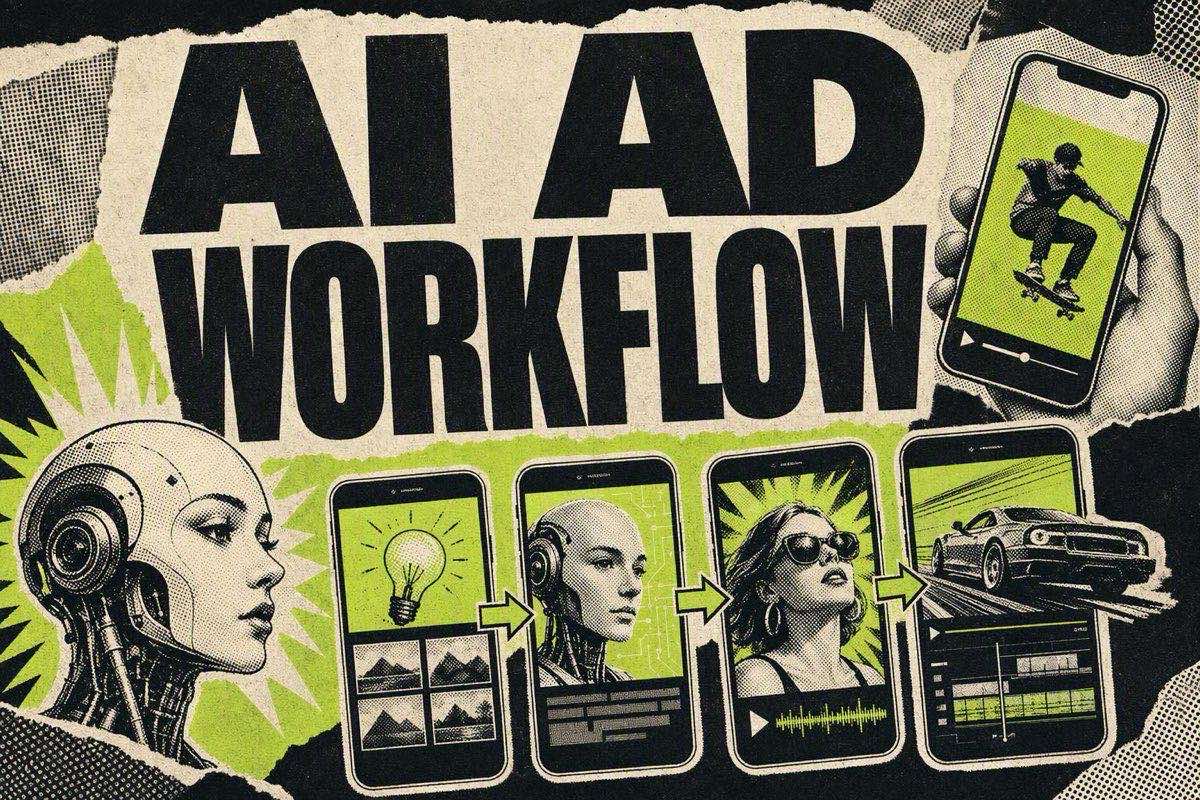
Making AI video ads takes six steps: pick an angle, write a script built around a 3-second hook, generate the video with an AI actor or avatar tool, add captions and sound design, test 3-5 hook variations against the same body, then scale whichever variant holds attention longest. You need no camera, no studio, and no slot on a creator's calendar.
This workflow applies anywhere short vertical video runs, whether your media mix is Instagram Reels, YouTube Shorts, or Meta placements. The mechanics are the same across all three, because a sound-on, hook-first, thumb-stopping first frame decides everything. The steps below are platform-agnostic, and only the export specs change per channel.
Step 1: pick one angle, not five
Before any AI tool opens, decide what single claim this ad is testing. "This serum clears breakouts in 2 weeks" is an angle. "Great skincare for everyone" is not; it's five different ads pretending to be one.
Media buyers who skip this step end up with a video that tries to say too much and converts nothing. Pick the angle from a real customer objection, a specific use case, or a before/after moment. If you're short on angles, our free AI prompt library has over 1,500 prompts built for drafting ad scripts and hooks by category.
One angle also makes every downstream step faster. The script writes itself around a single claim, and the hooks you test later are variations of the same idea, which is the only way to get a clean read on what's working.
Where this step goes wrong most often: someone tries to fold a discount, a new feature, and a customer testimonial into one 20-second video. Each of those is a different angle with its own proof mechanism. Test them as separate ads, not as one crowded script.
Where AI actually changes the workflow
The old process for testing a new ad angle meant briefing a creator, waiting days for footage, then editing and hoping the hook landed. AI collapses that cycle into an afternoon. The angle-to-live-ad loop that used to take a week can now run several times in a single day, so the constraint moves from production time to how fast you can read the data and decide what to test next.
That shift matters because the biggest cost in creative testing was never the video. It was the waiting. A media buyer who can test five hooks by Thursday instead of one hook next month finds a winner sooner and spends less budget getting there.
The operators building businesses on this describe the same math. As one AI-video creator laid it out, "ad creative fatigues in 2 to 3 weeks, not months," so "to find one winner, brands test 20 to 30 variants a cycle," and "about half of brands are expanding ugc spend, roughly none are cutting" (@RetroChainer). Treat the exact ratios as one operator's numbers rather than gospel, but the direction is the point: the job is volume, and volume is what an AI workflow supplies.
Step 2: write the script around a 3-second hook

The first 3 seconds decide whether anyone sees the rest of your ad. On short-form video, a 3-second view rate of 35-45% is considered strong for most industries, and top performers in competitive categories like beauty and fashion regularly hit 50-60%, according to one analysis of short-form hook-rate data. Fall under roughly 25% and the problem is the hook itself, not the offer or the price.
A workable script structure:
- Hook (0-3 sec): A claim, a question, or a visual pattern interrupt. No logo, no "hi guys," no slow build.
- Proof or demonstration (3-15 sec): Show the thing working. A before/after, a reaction, a specific number.
- Objection handling (15-25 sec): Address the one thing a skeptical viewer is thinking.
- CTA (last 3-5 sec): One instruction. Not "check it out," something specific like "tap the link to get 20% off today."
Keep the whole script under 30-40 seconds for a first cut. Long AI-generated ads lose people fast, and shorter cuts cost less to generate and are easier to test in volume. If you want structured formulas instead of writing hooks from scratch, our ad hook formulas for e-commerce guide has fill-in-the-blank templates that adapt directly into a script.
Step 3: generate the video with an AI actor or avatar
This is where AI replaces the camera crew. Tools like Arcads, Creatify, and HeyGen turn a script into a spoken-to-camera video using an AI actor in minutes rather than days. You paste the script, choose an avatar that fits your audience, and the tool syncs voice, lip movement, and basic scene framing.
Three things determine output quality here:
- Avatar-to-audience match. A polished corporate-looking avatar undermines a UGC-style angle. Pick an avatar that looks like it belongs in the setting your angle implies.
- Script pacing. AI voice generation reads scripts literally. Short sentences with natural pauses sound more human than long compound ones.
- Native framing. Vertical 9:16, handheld-style camera movement if the tool supports it, and natural lighting presets over studio ones.
We compare the major AI ad tools honestly, including where each one is strongest, in our AI ad generator comparison and our roundup of AI UGC ad generators.
Step 4: add captions, sound, and native editing touches
A talking-head clip on its own isn't a finished ad. Add burned-in captions (most viewers watch muted first), a short piece of trending or neutral background audio, and basic B-roll or product cutaways if the tool supports them.
Two things separate an ad that reads as native from one that reads as an obvious AI clip:
- Captions styled to match the platform's native caption look, not a generic subtitle bar.
- A short pause or breath between the hook and the next line. Perfectly smooth AI pacing is one of the easiest tells that a video was made by AI, and viewers who catch it discount the message.
Step 5: generate 3-5 hook variations on the same body
This is the most important step in the workflow, and it's the one AI tools were built for. Keep steps 2 through 4 identical, then generate 3-5 different opening lines for the same script body. Regenerating the first 3 seconds costs a fraction of reshooting a whole video, so this turns one concept into a real test instead of a guess.
Test structure that works:
- What changes — What stays the same
- Opening hook line — Script body, avatar, CTA
- Opening visual (talking vs. text-on-screen) — Offer, proof point
- Question hook vs. statement hook — Everything else
Judge the variants on 3-second view rate or hold rate first, not on total engagement. A hook that gets comments but doesn't hold attention past 3 seconds is a distraction, not a winner. If you need a faster way to draft variations, our free AI hook generator produces multiple platform-ready openers from one product description.
Step 6: scale the winner and watch for fatigue
Once a hook variant clearly beats the others, put spend behind it and hold the losing variants back for a later test cycle instead of deleting them. A hook that loses against one body sometimes wins against another.
Creative decay moves fast now. On Meta specifically, campaigns that used to hold performance for 14-21 days before fatigue now show warning signs after 5-7 days, according to Zentric Digital's 2026 creative fatigue analysis, and prospecting frequency above roughly 2.5 per week is where most accounts start seeing CTR erosion. So have your next batch of hook variants generated before the current winner starts declining, not after.
Run the same workflow across every placement
The six steps map directly onto Instagram Reels, YouTube Shorts, and Meta's in-feed video, which share the same short-form, sound-on, hook-first mechanics. The AI generation and hook-testing loop does not change; only the export specs and placement do. Pick the platform where your audience scrolls, then reuse the same angle and hook variants across each one.
One compliance note before you launch

If your finished ad uses an AI-generated photorealistic human, check the destination platform's disclosure rules before you spend. On Meta, undisclosed AI content became the third-largest reason for ad rejections in 2026, about 14% of all rejections, per AuditSocials' 2026 policy tracker. Meta's systems can also flag and pause an already-approved ad once they detect AI content after launch. Label AI-generated actors before you scale spend. Do it after a campaign gets paused mid-flight and you have already lost the momentum.
FAQ
Can I make AI video ads for free?
Most AI video ad tools offer a limited free tier, usually a handful of watermarked credits, enough to test the workflow before you commit to a paid plan. Full production runs (multiple hook variants, HD export, no watermark) usually need a paid subscription. Our free AI prompt library covers the scripting side at no cost, whichever video tool you use.
How long should an AI-generated video ad be?
Most winning AI-generated ads run 15-30 seconds for a first test cut. Shorter videos cost less to generate in volume, and they make it easier to tell whether the hook or the body is driving performance. Extend to 30-45 seconds only once a concept is already proven.
Do AI actors perform as well as real human creators?
They can for the narrow job of testing hooks and angles cheaply, since generating multiple script variations costs a fraction of hiring several human creators. They don't replace human creators for scaled, long-term campaigns, where a real reaction and a creator's following still carry weight a synthetic actor can't replicate.
What's the biggest mistake marketers make with AI video ads?
Generating one video and calling it done. The whole point of AI ad generation is that you can cheaply produce multiple hook variations for the same script body and let real view-rate data pick the winner, instead of betting your budget on a single untested cut.
Steal a hook before you generate anything
The workflow above only works if the angle and hook are strong to begin with; no AI tool fixes a weak idea. Before you open a video generator, pull real examples from our ad teardowns, which break down how winning ads structure their first 3 seconds, or grab a starting point from the 1,500+ free AI prompt library. A new winning hook breakdown lands in the newsletter every week.
The AI Ad-Making Kit
$99Make hyperreal AI video and image ads for any brand, with free AI tools. No camera, no agency.
- 10 modules
- 300+ hooks
- 500+ prompts
Canva ad templates, free.
Proven D2C ad layouts. Swap in your product, export, launch.
Browse templates →Want to act on what you just read?
Browse 3,400+ free, Canva-ready ad templates sorted by industry. One click to open, five minutes to customise.
Browse Free Templates