What the Meta ads library is
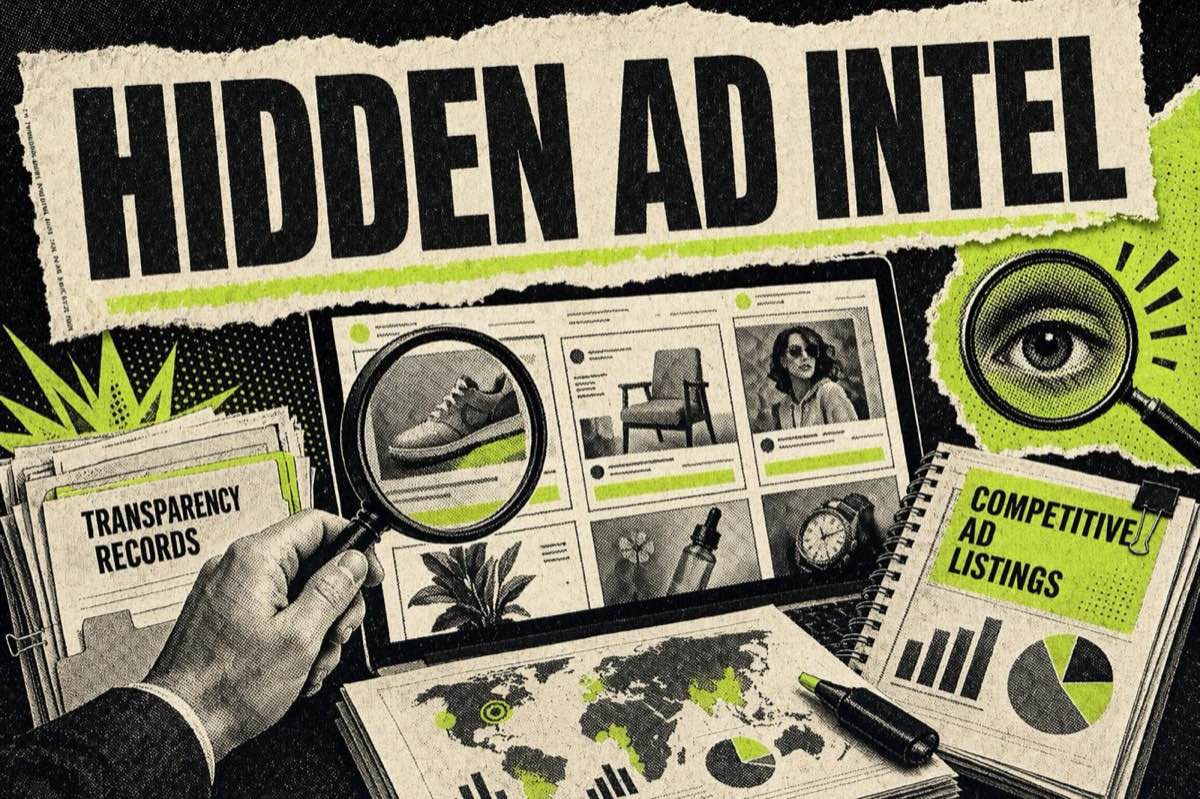
The Meta Ads Library is a free, public database of every ad currently running across Facebook, Instagram, Messenger and Threads, searchable by anyone at facebook.com/ads/library with no login and no advertiser account. It is the single best free creative research tool in performance marketing, and most people use maybe a fifth of it.
This guide covers the whole thing: how to search it properly, the features buried under the default view, the four things it cannot do (which is where most frustration with it comes from), and what to do with the ads once you have found them. Everything here is checked against Meta's own Transparency Center.
One framing that changes how you read the results: an ad still running after a month is an ad that is still working. Nobody keeps paying to serve a hook that flopped in week one. Read the Library as a live leaderboard of what is converting right now, not a static catalogue.
How to search the Meta ad library properly
The search box looks like a keyword box. It is really two different tools, and picking the wrong one is the most common reason a search comes back useless.
Search by advertiser, not by keyword
Type a competitor's exact Page name and you get their entire live rotation across every placement Meta runs. Type a product category and you get a scattered sample of whoever happens to use that phrase in ad copy.
Advertiser search is the one that matters, because the alternative is badly biased. Most media buyers only ever see the two or three ads a competitor has retargeted them with, which is whatever the algorithm decided you specifically would respond to. Searching the Page directly removes that bias and shows you the angles they are testing on audiences nothing like you.
Keyword search still earns its place for one job: finding advertisers you did not know existed. Search a category phrase, note which Pages keep appearing, then switch to advertiser search on each of them.
Set the country filter before you read anything
The country filter is not a refinement. It is a precondition. Creative strategy diverges hard by market. The same brand will run a price-led hook in one country and a social-proof hook in another, and an unfiltered search blends them into a picture that describes nowhere.
If you buy media in India, filter to India. The ads a US competitor runs are interesting context and terrible benchmarks.
Platform and media type
Filter by platform (Facebook, Instagram, Messenger, Audience Network) and by media type (image, video, carousel). Format mix is a finding in itself. If every serious competitor in your category has moved to video and you are still shipping statics, that is worth knowing before you argue about hooks.
Date range, and the "on or before" trick
You can filter to a specific date, a range, or ads that started on or before / on or after a given day. The useful application is narrow but strong. If you know a competitor launched on a particular date, filter to that window and you see the angle they led with, before optimisation ground it down to whatever survived. Launch creative tells you what a brand believes about its own product. Optimised creative only tells you what its audience clicked.
"All ads" versus the political and issue category
The category selector is the filter people miss most. The default view and the social issue, election and politics category behave like two different products, because they follow different disclosure rules. Almost everything commercial lives under "All ads". If you are researching a skincare brand and seeing spend figures, you are in the wrong category and looking at somebody's advocacy campaign.
Page transparency, the back door
Every Facebook Page has a Page Transparency section under its About tab, with a "Go to Ad Library" link straight into that Page's active set. This is the cleanest path from "I just saw this ad in my feed" to "show me everything else these people are running", and it works when you do not know the exact Page name to type.
The features most marketers never touch

Beyond search, a handful of things sit in the interface that regular users go years without opening.
Active status and run duration are two of them. The Library marks whether an ad is currently active, and for regulated categories it shows how long it has been running. A high proportion of long-running active ads against total ads created is the simplest tell you have that you are looking at a genuine winner rather than a test that gets killed on Friday. Study what survives, not what is newest.
Then there is the Ad Library Report. Separate from the search tool, the Ad Library Report gives an aggregated, country-level view of social issue, election and political advertising for a chosen period, downloadable as a CSV. It will not help with a Black Friday skincare campaign. But if any part of your work touches cause marketing or advocacy, it is the only place Meta publishes spend and reach in bulk.
For social issue, election and political ads specifically, the Library discloses spend ranges, reach estimates and who paid. This is real sourced data, and journalists lean on it: a Rappler investigation used Ad Library disclosures to trace "at least 31 Facebook pages that bear the name 'Pilipinas Today'" spending "a total of P138 million on social issues and politics ads" back to the network behind them (Rappler).
Ads targeting the EU carry extra delivery information, and Meta retains ad data for different periods depending on category. In practice, an ad you saw six months ago in a European market may still be searchable long after a comparable US commercial ad has dropped out of the default view. "I cannot find it" does not mean it never ran.
There is also the Ad Library API, a programmatic endpoint under Meta's Marketing API for batch retrieval by advertiser or country. Access needs Business Verification and App Review, usually six to eight weeks even when the application is clean. Worth knowing it exists. For weekly competitive checks, the web interface covers almost the whole use case without the wait.
What the Meta ad library will not do
This is the section that saves the most time, because nearly every complaint about the tool comes down to a mismatch of expectations.
It will not show you commercial spend. Marketers arrive expecting a budget dashboard on every competitor, find only creative, and conclude the tool is broken. It isn't. Meta requires spend disclosure for regulated categories and not for a skincare ad. If spend estimation matters to your work, that needs a third-party intelligence tool layered on top. The Library's strength is creative visibility, not budget visibility.
It will not let you save anything. There is no favourite, no bookmark, no collection. Close the tab and the research is gone.
It will not export. No bulk download, no CSV of commercial ads, no way to hand a set of references to a designer except by screenshotting one ad at a time.
It will not organise. No tags, no folders, no notes, no way to group by hook type so patterns become visible. And patterns are the point, because a single competitor ad is an anecdote while twenty of them sorted by mechanism is a strategy.
Those last three add up to the same problem. The Library is superb at showing you ads and offers nothing for keeping them, which means most people's competitive research quietly evaporates every time they close a browser tab.
How to actually keep the ads you find
This is the gap we built a tool for, and it is why this guide exists instead of being another walkthrough.
The HookAds Meta Ad Library Downloader is a free Chrome extension that adds a download button to the ads you are already looking at, so a research session ends with files on your disk instead of a closed tab. You can install it from the Chrome Web Store and be using it inside a minute, with no account.
The workflow is what makes it useful. Download the ads worth keeping, then file them by mechanism rather than by brand: testimonial-led, before and after, price anchor, founder story, UGC-style. Filing by brand produces a folder of competitors. Filing by mechanism produces a swipe file you can brief from, because next month's problem is never "what is Brand X doing", it is "what opens a skincare ad to a cold audience".
If you would rather start from a set somebody has already built and annotated, our swipe file is real ads with the mechanism written out, and our ad teardowns take single ads apart hook by hook.
A competitor research routine that takes twenty minutes a week
- Pull three to five competitor Pages in the Library, filtered to your country and platform.
- Note the survivors. Which ads have clearly been running longest? Those are the ones worth your attention.
- Capture the first line and opening visual, not the whole ad. The hook is doing the heavy lifting.
- Tag the pattern. Most winning ads fall into a handful of repeatable buckets.
- Brief the next batch against the pattern, never the exact ad. Same mechanism, your product, your proof.
You are not copying creative. You are identifying which mechanism the category currently rewards. Is everyone leading on price this quarter, or on testimony, or on a before and after format? That answer is worth more than any single ad you could lift.
Two uses beyond creative research come up repeatedly among heavy users.
The first is prospecting. Agencies treat the Library as a list of businesses demonstrably willing to pay to grow. One operator's method: "Search 'Facebook Ad Library'... switch your location to whichever country you want to target... set the ad category to All Ads... type in a keyword related to your niche", which surfaces "businesses that are actively" running ads (@iksly2). A Page running many ads badly is a warm lead.
The second is automated competitor intelligence. More technical teams wire the Library into production. As one described his setup, an automated "competitor intelligence" engine "crawls through Meta Ads Library and Google Ads Transparency Tool before starting net new creative build" and "creates a swipe file database" (@Nate_Google_). That is the API in practice: a standing, searchable archive of everything the category has run.
Once you have a pattern worth testing, our free AI Hook Generator turns an angle into a batch of openers, and the 1,750+ prompt library is organised by creative angle for exactly this handoff.
The other ad libraries worth knowing

Meta's is the biggest, but it isn't the only one. Every major platform now publishes some kind of ad transparency archive, and the rules differ enough that each one needs its own approach.
- Google runs an Ads Transparency Center covering Search, Display and YouTube.
- LinkedIn publishes an ad library for every Page, the most underused of the set if you sell B2B.
- YouTube ads surface through Google's centre, with its own quirks for video creative research.
- Instagram ads sit inside the Meta Library already, reachable with the platform filter or through our Instagram ad library tool.
FAQ
Is the Meta ads library free to use?
Yes. It is free and public at facebook.com/ads/library, with no login or advertiser account required. It covers active ads across Facebook, Instagram, Messenger and Threads.
How do I search the Meta ad library?
Enter a Page or advertiser name to see that advertiser's full live rotation, or a keyword to find advertisers in a category. Set the country filter before you read anything, then narrow by platform, media type and date. Leave the category on "All ads" unless you are researching political or issue advertising specifically.
Can I see how much a competitor is spending on Meta ads?
Only for social issue, election and political ads, where Meta discloses spend ranges and funding sources. Commercial ads carry no public spend disclosure, so you can study the creative but not the budget behind it.
How do I find every ad a specific brand is running?
Search the brand's exact Page name, or open their Facebook Page, go to About, click Page Transparency, then "Go to Ad Library". Both routes return the same full set of currently active ads.
Can I download ads from the Meta ad library?
Not through Meta. The Library has no download, export or save function of any kind. A browser extension such as the HookAds Meta Ad Library Downloader adds that, so you can keep the creative you find instead of losing it when the tab closes.
How do I save ads from the Meta ad library?
There is no built-in save, bookmark or collection feature, which is why most research disappears at the end of a session. Download the ads you want to keep and file them by mechanism (testimonial, before and after, price anchor) rather than by brand, so the patterns stay visible when you come back.
What is the difference between the ad library and the ad library API?
The Ad Library is the free web tool anyone can search. The Ad Library API is a programmatic endpoint under Meta's Marketing API for structured batch pulls, gated behind Business Verification and App Review, which usually takes six to eight weeks.
Does the ad library show Instagram-only ads?
Yes. The platform filter covers Facebook, Instagram, Messenger and Audience Network, so you can isolate Instagram if that is your main research surface.
How long do ads stay in the Meta ad library?
It depends on the category and the market. Regulated political and issue ads are kept for extended periods, and ads targeting the EU carry additional delivery data and longer availability than a comparable US commercial ad in the default view.
Can I use the ad library to find hooks and headlines?
Yes, and it is one of the most practical uses. Searching a category term or a competitor Page surfaces real headlines that are running right now, which you can study for structure and angle, then adapt using your own ad hook formulas rather than copying them.
Steal the pattern, not the ad
The Meta Ads Library shows you what your competitors are running and how long each ad has survived. It won't tell you why a hook works, and it won't let you keep anything you find.
Install the free downloader extension, build a swipe file organised by mechanism, and next quarter's creative brief writes itself from evidence instead of memory.
The AI Ad-Making Kit
$99Make hyperreal AI video and image ads for any brand, with free AI tools. No camera, no agency.
- 10 modules
- 300+ hooks
- 500+ prompts
Canva ad templates, free.
Proven D2C ad layouts. Swap in your product, export, launch.
Browse templates →Want to act on what you just read?
Browse 3,400+ free, Canva-ready ad templates sorted by industry. One click to open, five minutes to customise.
Browse Free Templates