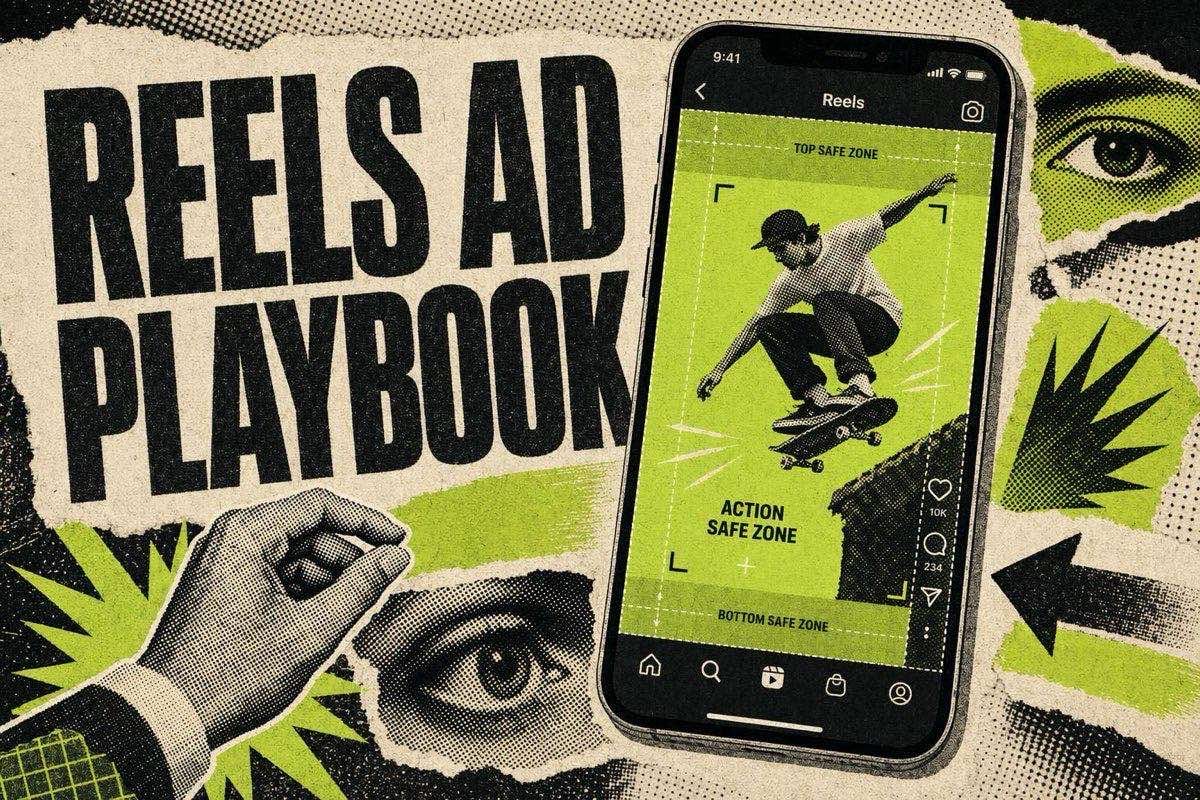
Instagram Reels ads run at 9:16, 1440x2560 recommended resolution, up to 15 minutes long, MP4 or MOV, with the top 14% and bottom 35% of the frame kept clear for UI elements, per Meta's official ads guide. Getting the specs right gets your creative rendered correctly. It does not make anyone stop scrolling, which is why this post spends more time on Reels-specific best practices, sound-on design, native-feel editing, caption placement, trending-audio caveats, than on the dimensions table alone.
Instagram Reels Ad Specs (Verified 2026)
Every number below was checked against Meta's ads guide for Instagram Reels directly.
- Spec — Instagram Reels ads
- Aspect ratio — 9:16
- Recommended resolution — 1440x2560
- Minimum width — 250px (ads under 30 seconds), 500px (ads 30+ seconds)
- File types — MP4, MOV
- Max file size — 4GB
- Duration — 0 seconds to 15 minutes
- Video encoding — H.264 compression, square pixels, fixed frame rate, progressive scan
- Audio encoding — Stereo AAC, 128kbps or higher
- Primary text limit — 44 characters (before truncation)
- Sound — Optional, but strongly recommended
- Captions — Optional, but recommended
The older 1080x1920 standard still uploads without issue since the minimum width requirement is well below it, but Meta's ads guide lists 1440x2560 as the recommended resolution, so export at the higher size when your source files support it. This matches the same figures in our Facebook ad sizes cheat sheet, which covers every Meta placement, not just Reels.
Meta also restricts what can run as a Reels ad: no licensed music, no face or camera effects, no GIFs, no product tags, and no Reels published before October 15, 2021 can be repurposed as an ad. If you're adapting an organic Reel into a paid ad, check it against that list before you spend the media budget boosting it.
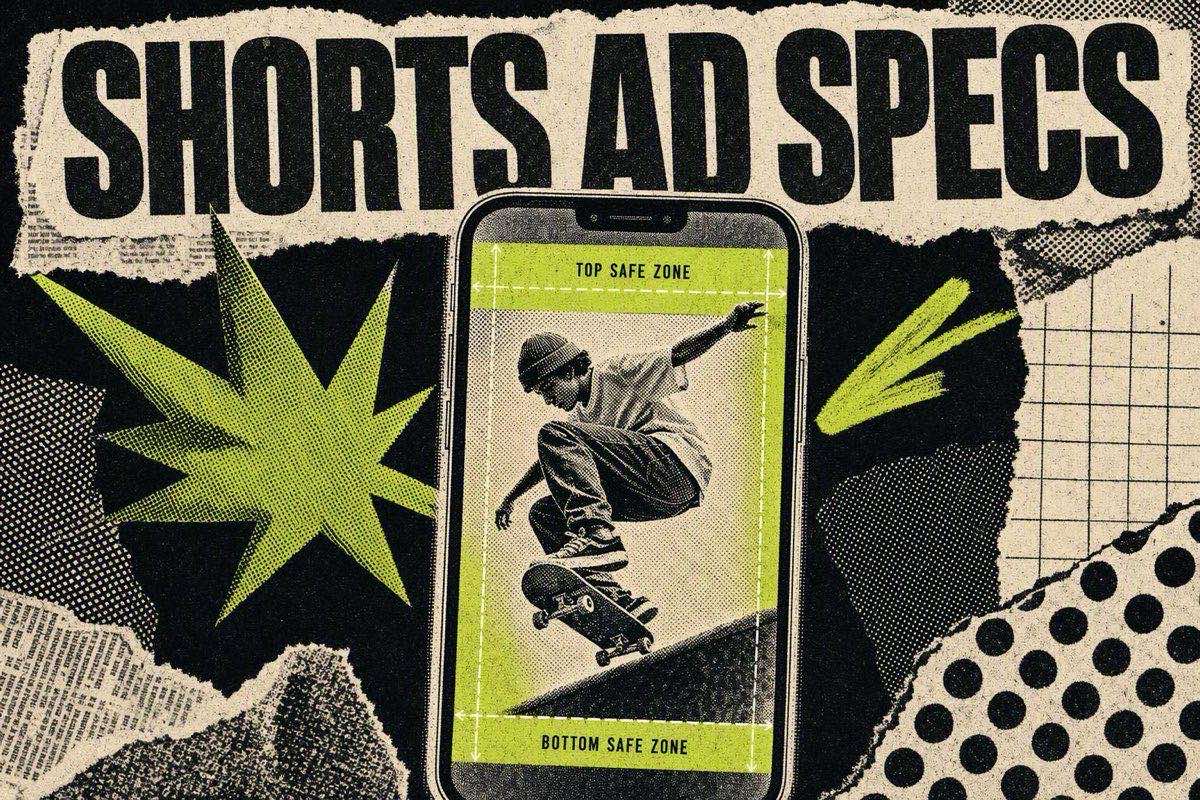
Safe Zones: Keep the Top 14% and Bottom 35% Clear
This is the single most common reason a strong Reels hook goes unread. Meta's guidance is to leave roughly 14% of the top, 35% of the bottom, and 6% of each side free of text, logos, and key creative elements.
In pixels, on the two most common canvas sizes:
- Canvas — Top zone (14%) — Bottom zone (35%) — Each side (6%)
- 1080x1920 — top 270px — bottom 672px — 65px
- 1440x2560 — top 358px — bottom 896px — 86px
The bottom zone is where the profile icon, caption text, CTA button, like/comment/share icons, and audio label all sit, and captions can expand depending on length and device, so treat the full 35% as off-limits rather than eyeballing where the UI usually ends. Everything the viewer needs to read, hook line, offer, price, product name, has to live in the middle band. First-time Reels advertisers who port a feed creative over without adjusting almost always lose their offer text behind the CTA button.
Sound-On Design: The Rule That Makes Reels Different From Feed
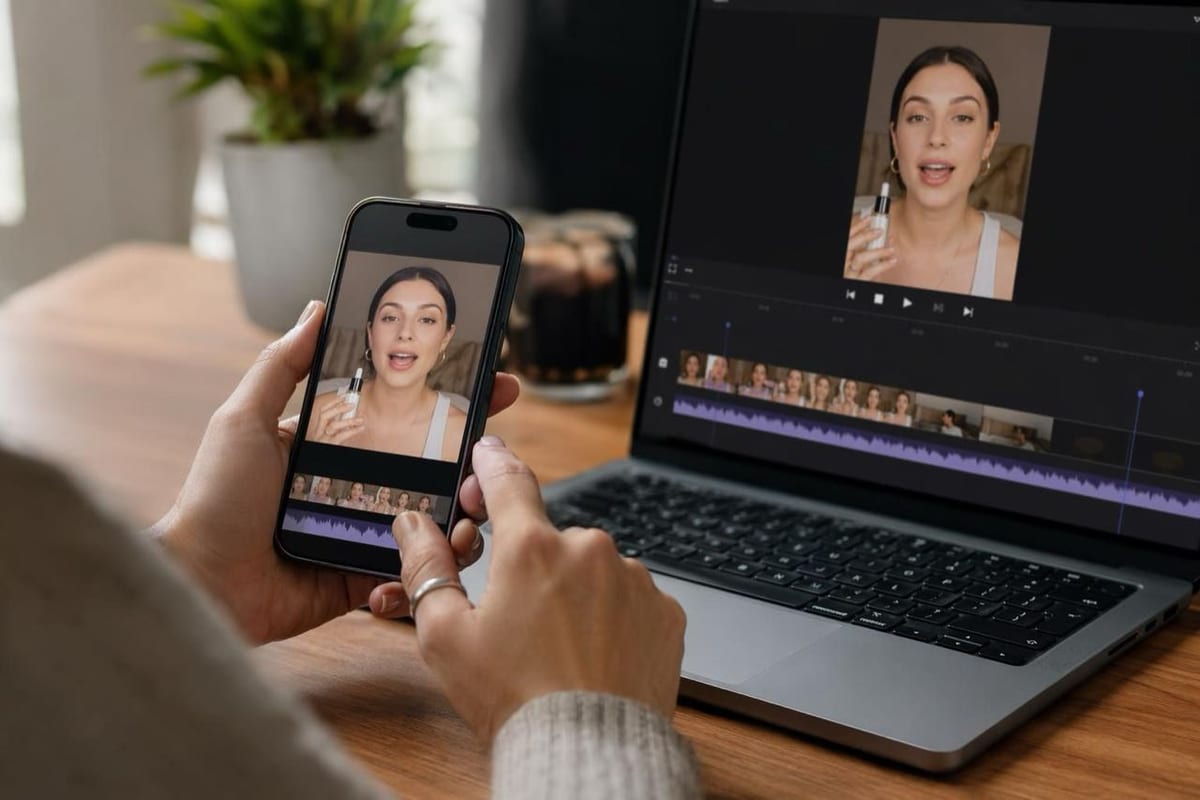
Reels is the one Meta surface where sound-on is the expectation, not an edge case. Meta's own guidance lists sound as "optional, but strongly recommended" for Reels ads specifically, a different default than static feed placements where a lot of viewers scroll muted by habit.
Practically, that means:
- Write the hook to be heard, not just read. A spoken opening line ("Wait, you're putting THAT on your face?") needs to land as audio, with on-screen text as reinforcement, not a replacement.
- Don't rely on background music alone to carry the mood. If your ad has no spoken hook and no dialogue, silence on a sound-off viewer and a low-energy first second on a sound-on viewer both hurt you at once.
- Add captions anyway. Meta lists captions as optional but recommended, and captioning protects the meaningful fraction of viewers who still watch muted out of habit or environment (an office, public transit), without undermining the sound-on design of the rest of the ad.
Native-Feel Editing: Why Polished Ads Underperform on Reels
Reels ads compete directly in a feed of organic, often lower-production creator content, and an ad that visually announces itself as an ad loses attention before the hook has a chance to land. Native-feel editing borrows the pacing and visual grammar of organic Reels: handheld or phone-shot footage, jump cuts instead of smooth transitions, on-screen captions in the platform's native style, and no logo bug in the first few seconds.
This isn't a stylistic preference, it's a direct extension of the pattern-interrupt mechanism that makes hooks work in the first place, a feed full of familiar-looking content trains the eye to scroll past anything that matches the expected pattern, and a heavily branded, studio-lit ad matches the pattern of "this is an ad" instantly. The complete guide to UGC ads covers the production side of this in depth; for Reels specifically, treat the first 2-3 seconds as the part that most needs to look unpolished, even if the rest of the video is a clean product demo.
A few concrete swaps that move a script from "feed commercial" to "Reels-native":
- Shot on phone, not a rig. Even if you own proper camera gear, a handheld or tripod-phone look reads as more native than a stabilized, color-graded shot in the first three seconds.
- On-screen text in the platform's caption style, not a branded lower-third graphic. Reels' own auto-caption font is the visual language viewers already associate with "someone talking to me," not "someone selling to me."
- Delay the logo. A logo or product-name overlay in frame one signals "ad" before the hook has landed. Push branding to the middle or end of the video once attention is already earned.
- Keep the cut rate high early, then slow down. Organic Reels rarely hold a single shot for more than 2-3 seconds in the opening stretch; match that pace for the hook, then settle into a normal edit once the viewer has committed to watching.
None of this means lower production value everywhere. A polished product shot mid-video, after the native-feeling hook has done its job, reads as intentional rather than as an ad that never fit the platform.
Caption Placement: Working With the Safe Zone, Not Against It
Reels captions, both the platform's auto-captions and any burned-in text you add, need to sit inside the safe middle band, which in practice means designing your caption position before you shoot rather than adding it in post and hoping it fits. A caption that lands in the bottom 35% gets covered by the engagement rail on a real device, even though it looks fine in a full-screen preview.
A practical workflow: drop Meta's safe-zone guide as a template layer in your editing software once, then design every hook line and caption inside that middle band by default. This is worth doing before the shoot, not after, since reframing a caption that's centered on the wrong part of the frame usually means recomposing the shot, not just nudging a text layer.
Trending Audio Caveats: What Actually Works for Paid Reels
Trending audio is one of the biggest differences between organic Reels strategy and paid Reels strategy, and the caveat matters: licensed, trending music tracks are not allowed in Reels ads. Meta's Reels ad specs explicitly restrict licensed music, so the trending-sound tactic that works for organic creator content does not transfer directly to a paid placement.
What does transfer is the pacing and structure that trending audio formats encourage, quick cuts synced to a beat, a reveal on a specific downbeat, a format the audience already recognizes from organic content. Recreate that structure using original audio or Meta's own Sound Collection rather than the literal trending track, and the ad still benefits from feeling native to the format without the licensing risk of a copyright claim pulling the ad from delivery mid-flight.
Reels vs Feed vs Stories: What Changes for Creative Strategy
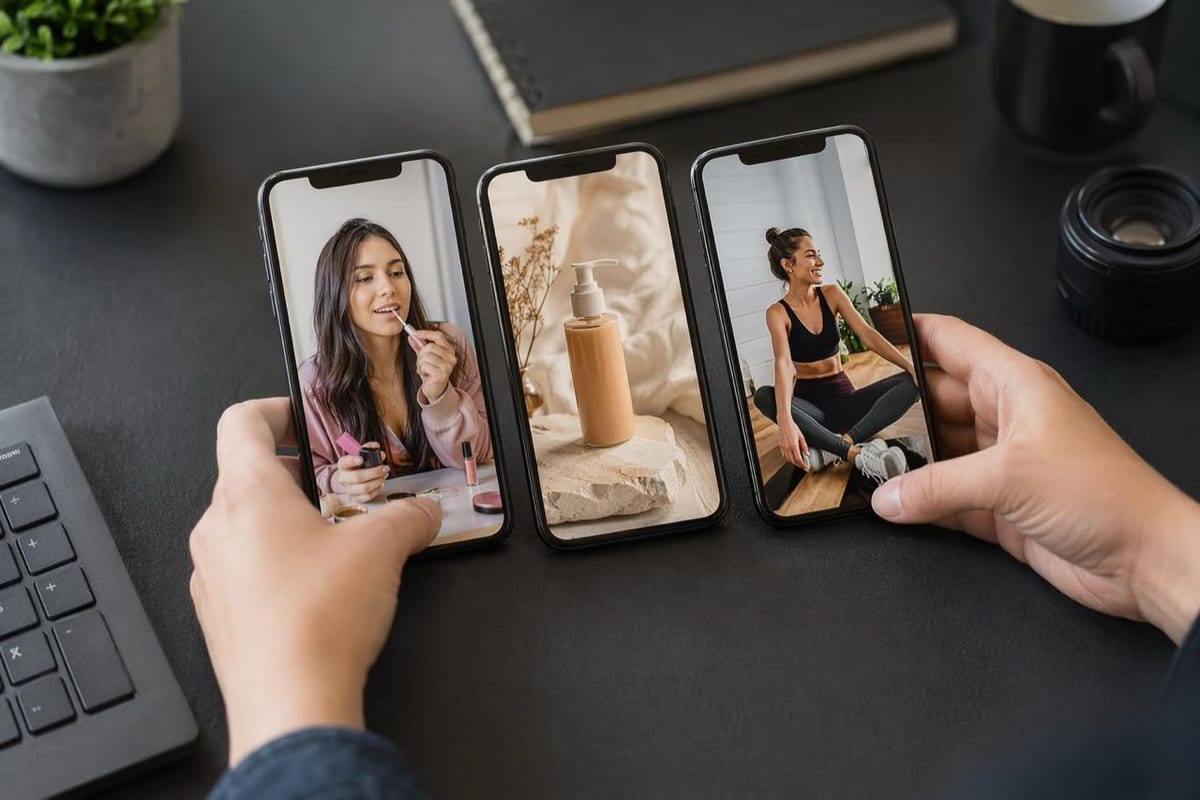
All three share the 9:16 canvas and safe zones, but the viewing context differs enough to change creative decisions:
- Factor — Reels — Feed — Stories
- Sound default — On — Often muted — On
- Viewing pace — Fast, swipe-driven — Slower scroll — Fast, tap-driven
- Native content style — Casual, creator-style — Mixed — Casual, personal
- Max duration — 15 minutes — Up to 241 minutes — Similar to Reels limits
- Best hook style — Pattern interrupt, sound-led — Text-forward, works muted — Personal, direct-to-camera
Reels and Stories share dimensions and safe zones closely enough that one well-designed vertical master covers both, but a Reels-first edit (sound-on, native pacing, no early branding) tends to underperform in Feed placements where more viewers still scroll muted. If you're running the same creative across all three, budget for at least a caption-forward variant to serve Feed.
In practice, most accounts don't build three separate creatives. They build one 9:16 master optimized for Reels (since it's the highest-volume vertical placement in most accounts today), add burned-in captions so it survives a muted Feed view, and let Meta's placement asset customization handle serving the right crop where a 1:1 or 4:5 version is required. The mistake to avoid is doing the reverse, designing a Feed-first static concept and stretching it into 9:16 for Reels, since a Feed concept is built around being readable at rest, not around a sound-on, fast-paced few seconds of hook.
Common Instagram Reels Ad Mistakes
These show up repeatedly in account audits and almost all trace back to treating Reels like a resized Feed ad instead of its own format:
- Porting a Feed static into 9:16 without redesigning the hook. The aspect ratio changes but the pacing and sound assumptions don't, so the ad plays like a slideshow instead of a Reel.
- Burying the offer in the bottom third. Price, CTA text, or the product name sitting inside the bottom 35% gets covered by the engagement rail on a real device, even if it looked fine in an editing preview.
- Using a trending audio track directly. It's a rejection or a mid-flight takedown waiting to happen. Recreate the pacing with original audio instead.
- Branding too early. A logo in the first frame signals "ad" before the pattern-interrupt hook has had a chance to work.
- Skipping captions because sound is "strongly recommended." Recommended isn't guaranteed. A meaningful share of viewers still default to muted, and captions are a near-zero-cost way to not lose them.
FAQ
What is the correct size for an Instagram Reels ad?
The aspect ratio is 9:16 with a recommended resolution of 1440x2560, per Meta's official ads guide. The older 1080x1920 standard still uploads fine since it clears the minimum width requirement, but export at 1440x2560 when your production allows it.
What are the safe zones for Instagram Reels ads?
Meta recommends keeping roughly 14% of the top, 35% of the bottom, and 6% of each side free of text, logos, and key creative elements. On a 1080x1920 canvas that's the top 270px and bottom 672px; on 1440x2560 it's the top 358px and bottom 896px.
Can you use trending music in Instagram Reels ads?
No. Meta's Reels ad specs explicitly restrict licensed music in paid Reels ads. Use original audio or Meta's Sound Collection, and recreate the pacing and structure trending audio encourages rather than the literal track.
Should Instagram Reels ads be designed for sound on or off?
Design for sound on. Meta lists sound as optional but strongly recommended specifically for Reels, unlike Feed placements where a large share of viewers scroll muted by habit. Add captions anyway to cover the viewers who still watch muted.
How long can an Instagram Reels ad be?
Up to 15 minutes, per Meta's official spec, though almost no Reels ad should run anywhere near that duration. Most scaling Reels ads land in the 15-30 second range to match how the format is actually consumed.
Correct specs and safe zones keep your Reels ad from being cropped into nonsense. What actually earns the watch is still the opening hook, get 30 concrete examples in how to write intro hooks for video ads, browse ready-to-shoot concepts in the free AI prompt library, and get one new winning ad breakdown in your inbox every week when you join the HookAds newsletter.
The AI Ad-Making Kit
$99Make hyperreal AI video and image ads for any brand, with free AI tools. No camera, no agency.
- 10 modules
- 300+ hooks
- 500+ prompts
Canva ad templates, free.
Proven D2C ad layouts. Swap in your product, export, launch.
Browse templates →Want to act on what you just read?
Browse 3,400+ free, Canva-ready ad templates sorted by industry. One click to open, five minutes to customise.
Browse Free Templates